Advanced RFQ

OKX’s tool for large and multi-leg trades at firm prices. I brought building, monitoring and executing onto a single screen.

About 20 percent
less time to build and send an RFQPreliminary internal testing.
Role
Product designer, end to end
Area
Institutional products
Platform
Responsive web
Duration
4 weeks
Company
OKX

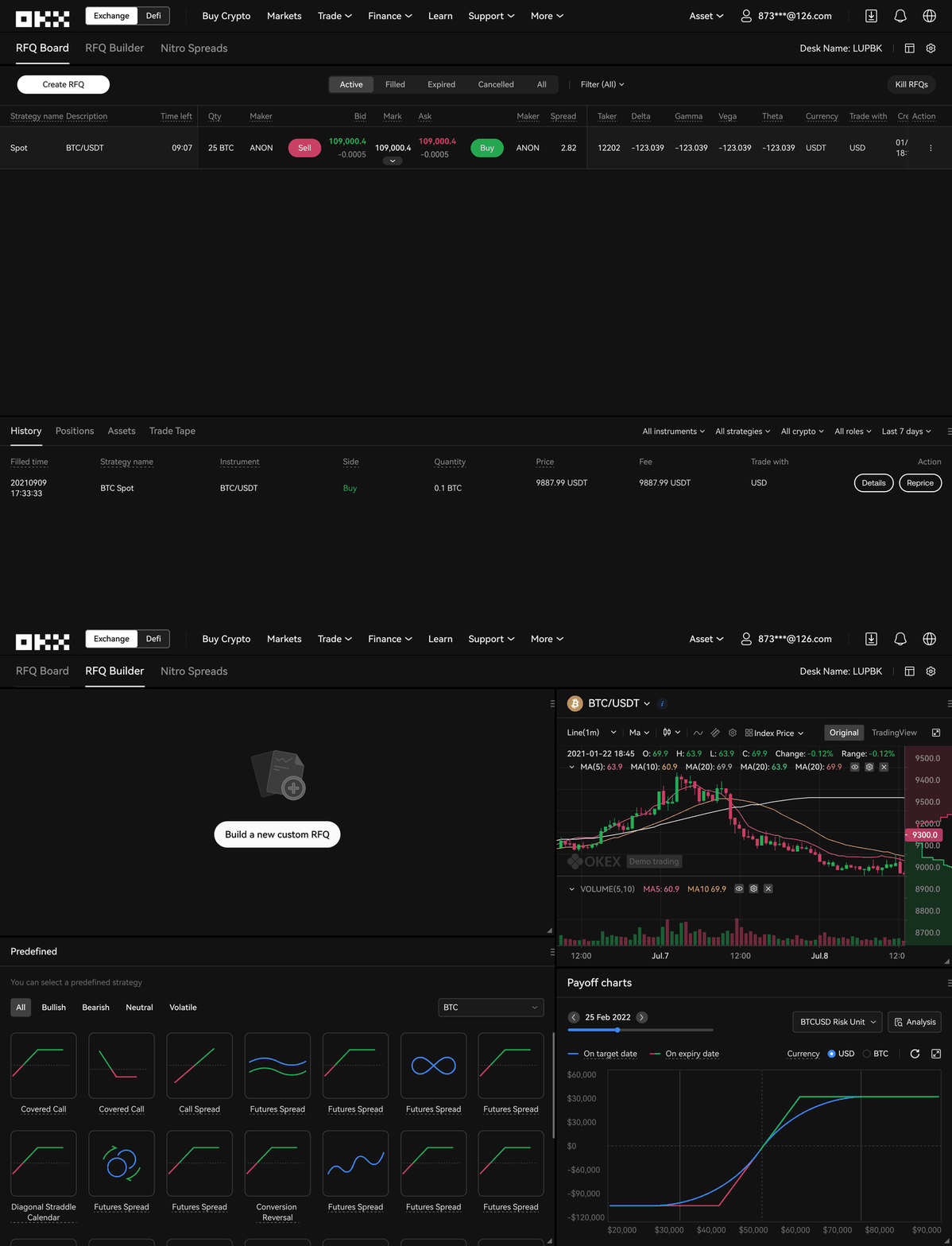
Before: build on one tab, monitor and execute on another.After: one tab to build, monitor and execute.

Before: the RFQ Builder tab, with charts and predefined strategies.Before: the separate RFQ Board tab with active quotes.After: one screen with the RFQ builder on top, the RFQ board below and history at the bottom.

What is RFQ?

Request for Quote is OKX’s advanced trading experience for large or complex trades at firm prices. Instead of placing orders on a public order book, traders send an RFQ to several counterparties and get competitive buy and sell quotes in real time.

It supports predefined and custom multi-leg strategies across spot, derivatives and options in a single request, with two-click atomic execution that limits slippage and execution risk in volatile markets. Its users are advanced retail and institutional traders, for whom speed, clarity and confidence at execution matter most.

End-to-end redesign

  • Identifying key usability issues through internal feedback and testing
  • Defining the design strategy and success criteria
  • Exploring and evaluating layout and navigation approaches
  • Driving the final interaction model and screen structure
  • Updating legacy components to the latest design system
  • Working with product managers and engineers on feasibility and scale

Three problems, three changes

RFQ was a powerful tool, but the old experience added friction at exactly the moments when speed and clarity mattered most.

As-is: the RFQ board and builder on separate tabs, switching back and forth.

The workflow was split across tabs

Building an RFQ happened on one tab and monitoring quotes and executing on another, while the same tab bar also led to Nitro Spreads, a separate product with a different mental model. Traders had to switch context at decision-critical moments, and the blurred boundary left them unsure where they were.

What changedUnify the workflow. Builder and board now live on one screen, so traders build, monitor and execute without losing context.
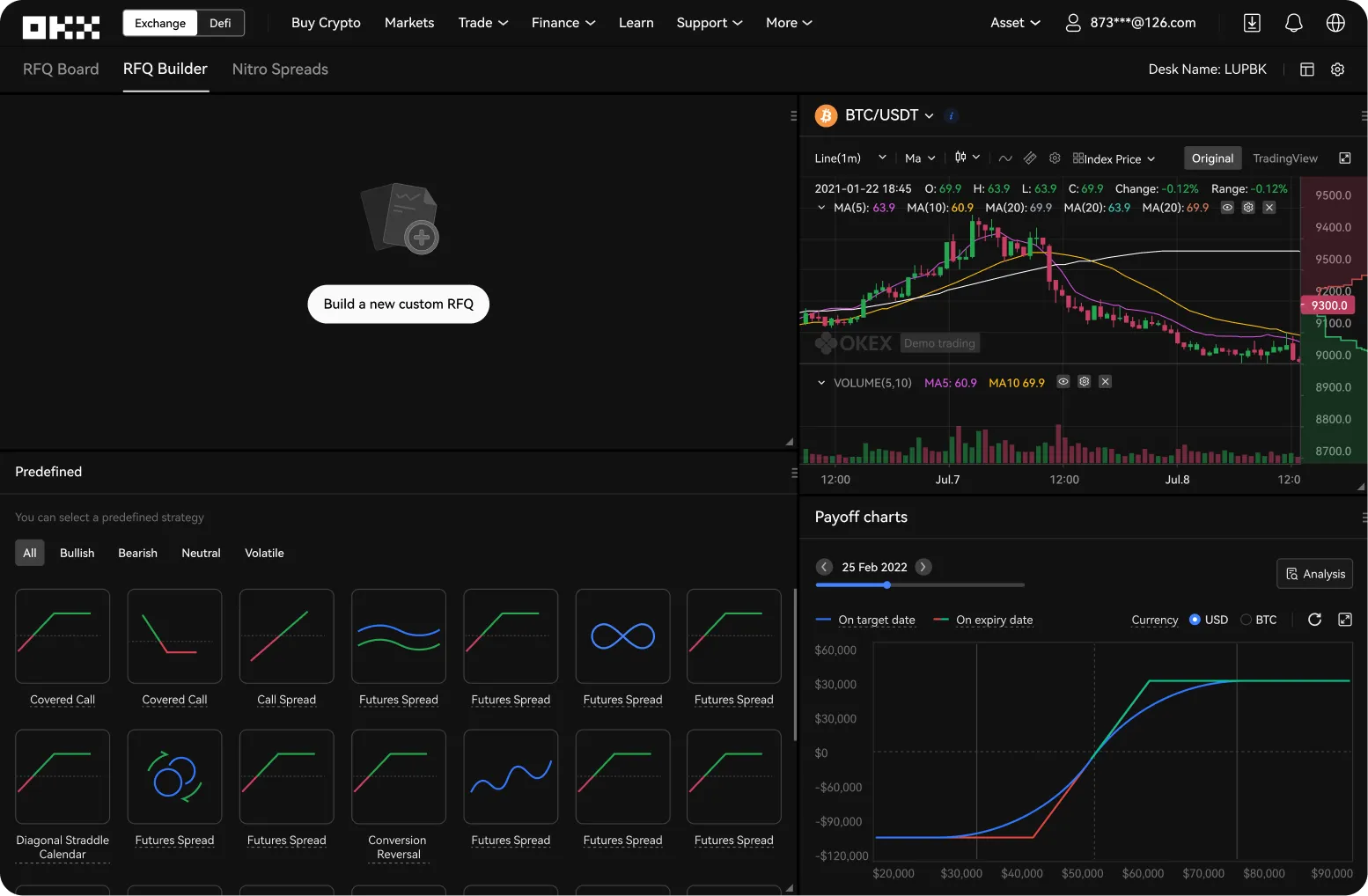
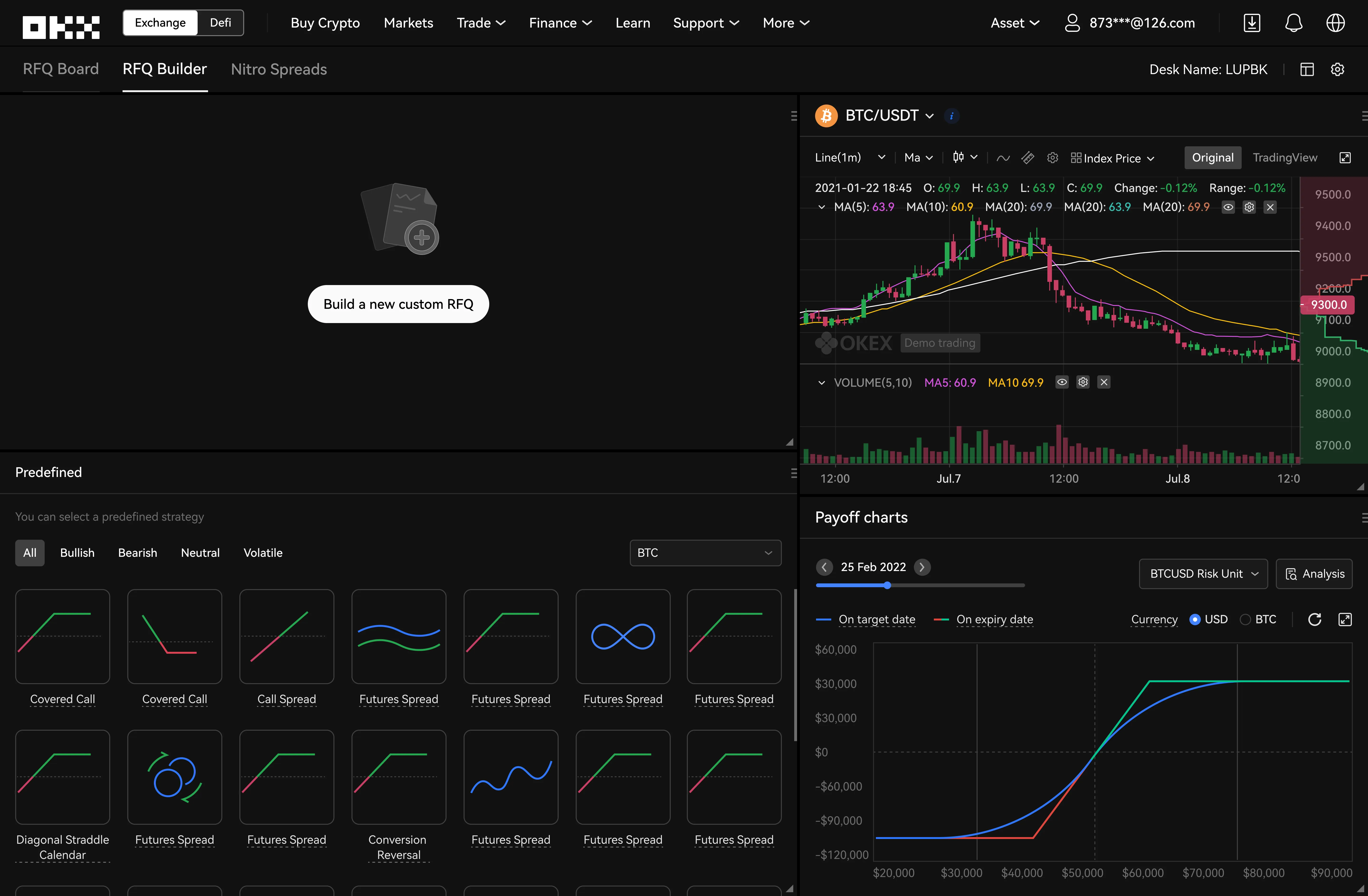
As-is RFQ builder: K-line charts, payoff charts and predefined strategies around the build controls.

The builder showed everything at once

K-line charts, detailed position data and advanced controls filled the builder, yet feedback showed they were rarely used at this stage. Traders came to construct a strategy, not analyse the market, and adding legs or adjusting quantities competed with secondary data.

What changedReduce non-essential information. Charts and secondary market data came out, so the core actions lead.

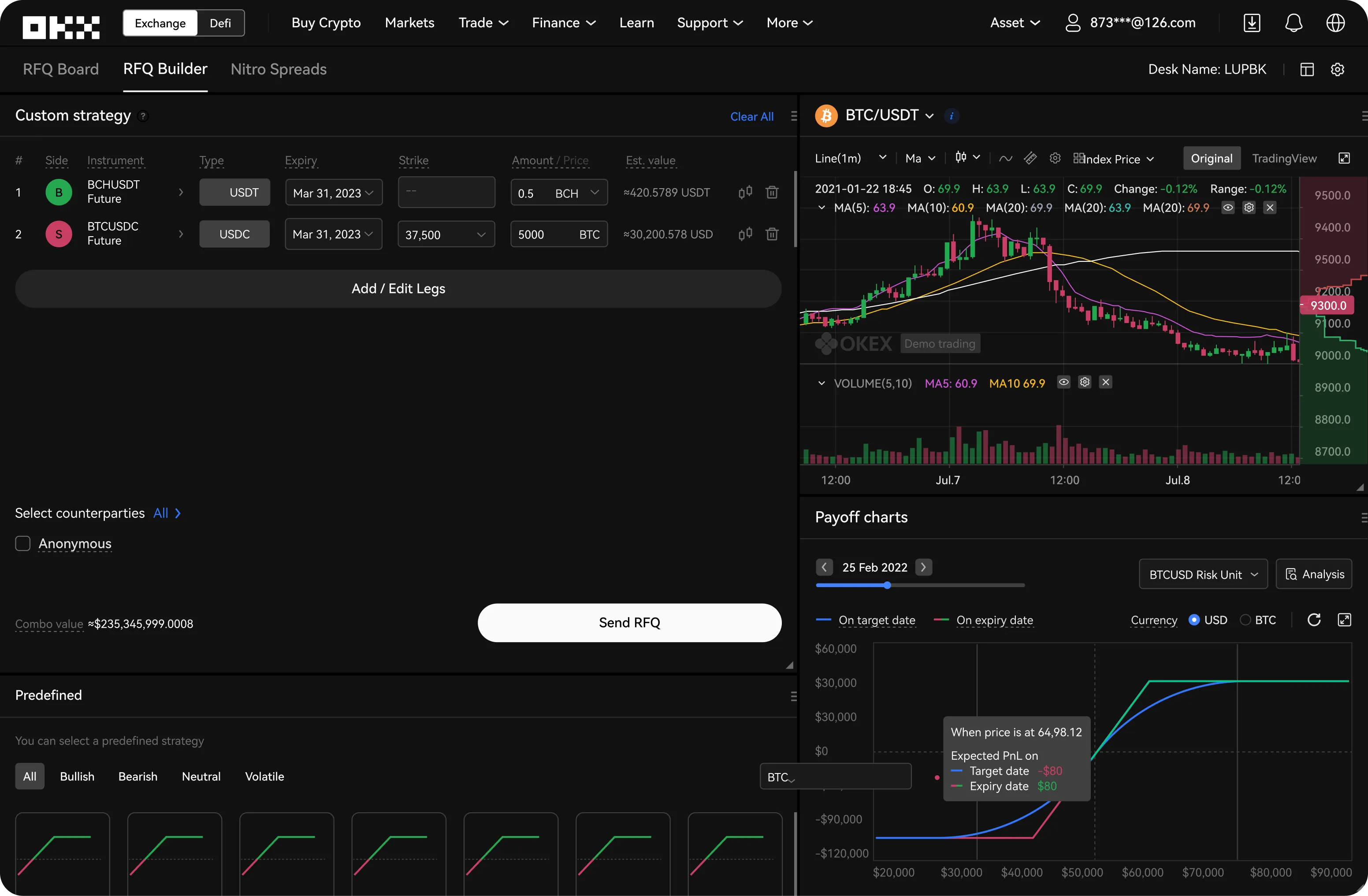
Legacy RFQ builder with older form components for legs, expiry, strike and amount.

Outdated components undermined trust

Parts of RFQ still used legacy components that no longer matched the design system. In a high-stakes product, inconsistent patterns add cognitive load and visual mismatches lower perceived quality, which makes it harder to trust the tool with significant capital.

What changedMove to the design system. Standard components bring consistency, familiar patterns and a higher perceived quality.

Three layouts, one chosen

Where should the builder live? I explored three answers before settling on one screen.

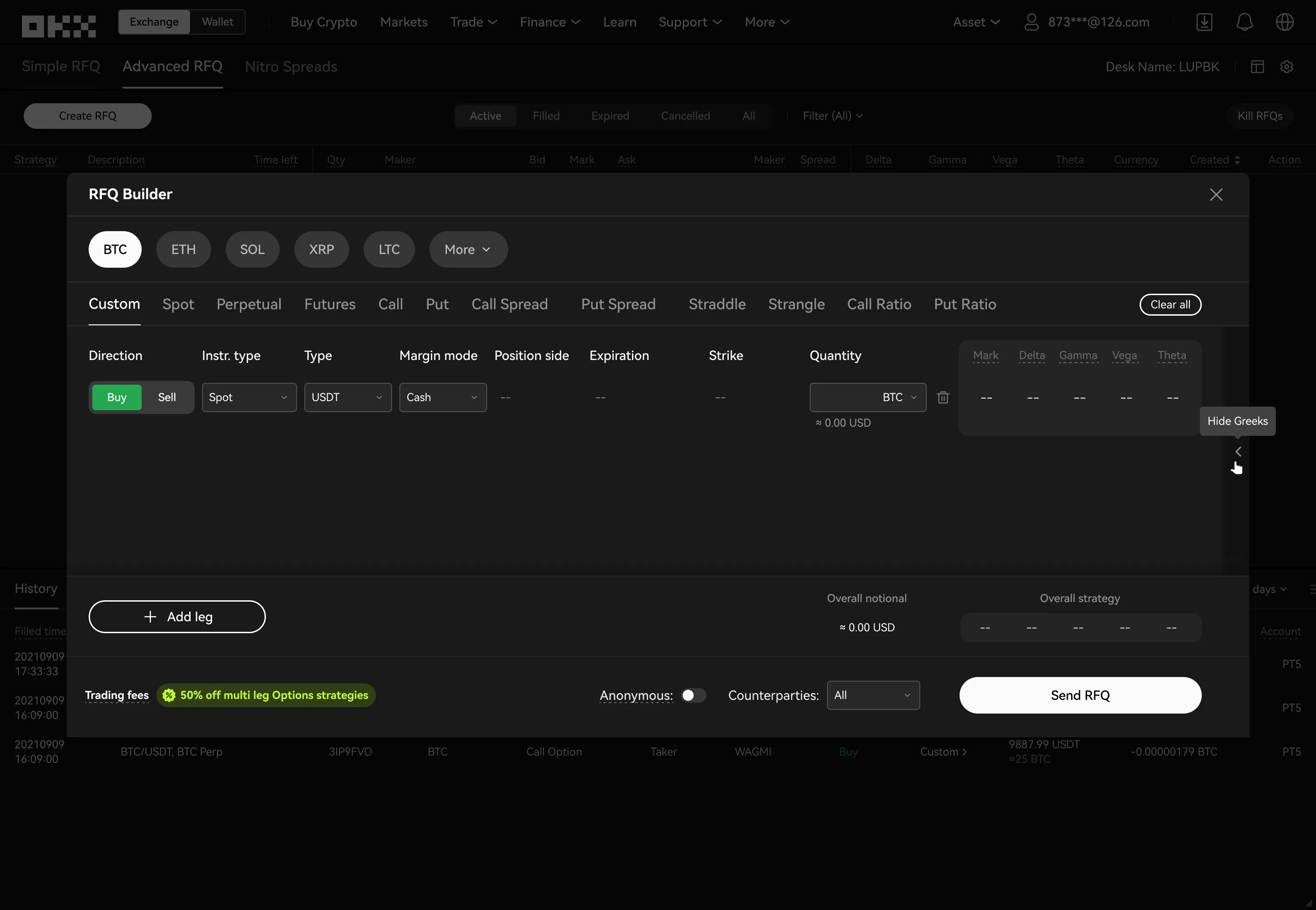
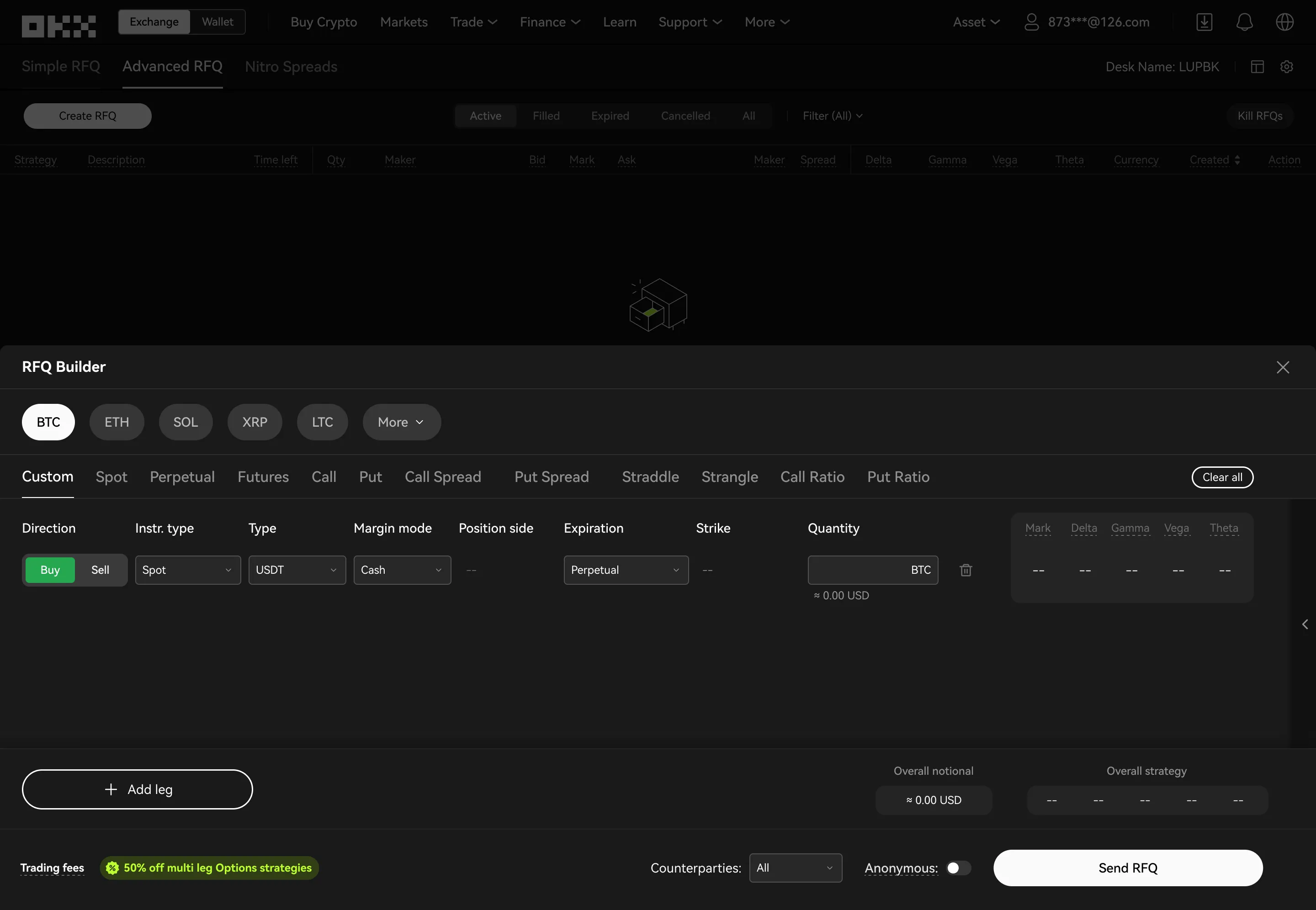
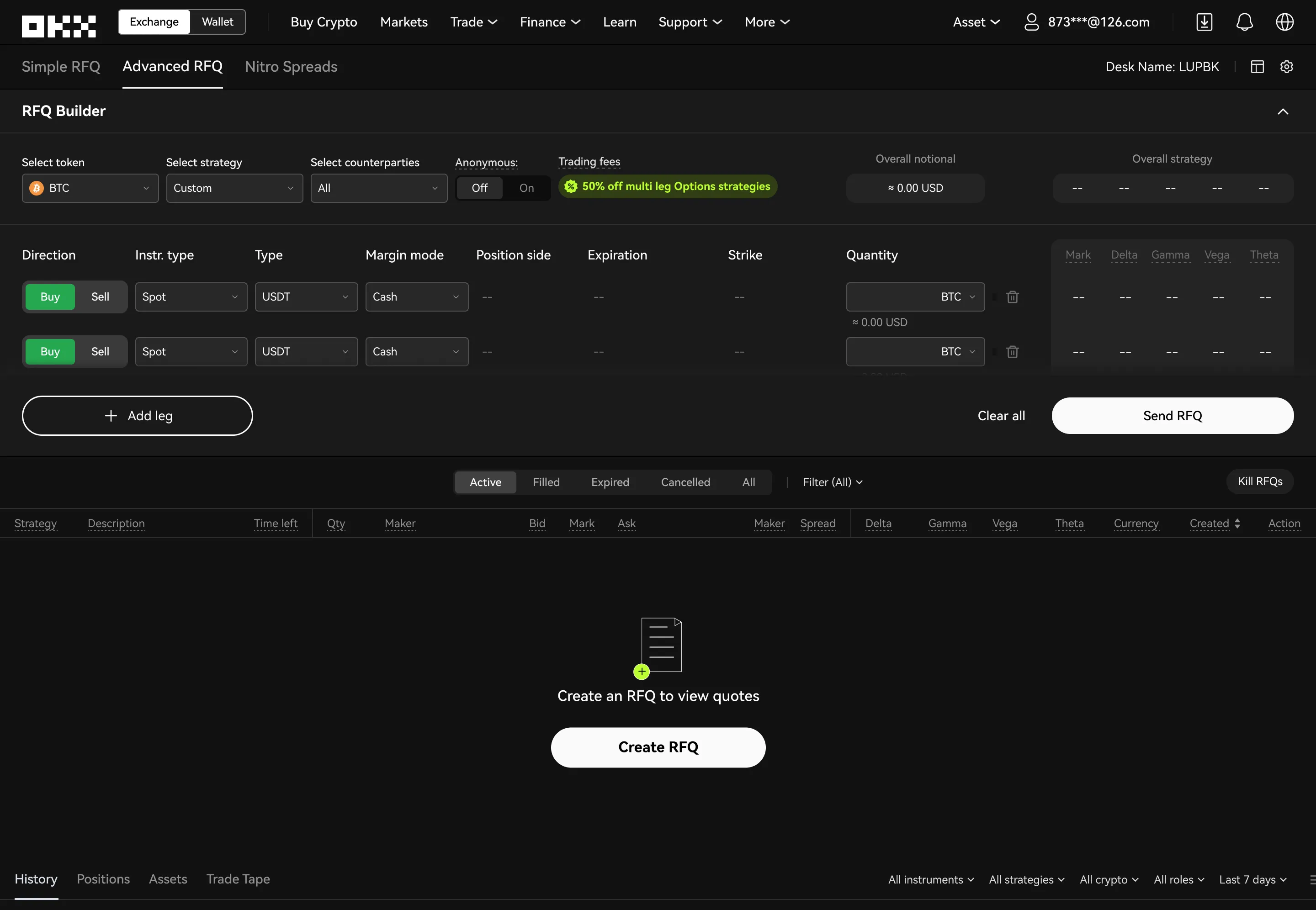
Builder as a dialog: layout exploration.Builder as a bottom sheet: layout exploration.Builder and board on one screen: layout exploration.

Builder as a dialog

Traders land on the board and the builder opens over it. Fine for light tasks, but complex multi-leg strategies get confined to a temporary surface, adding context shifts.

Not chosen

Builder as a bottom sheet

Better continuity than a dialog, but the collapsible sheet invites constant expanding and collapsing, and less vertical space makes dense multi-leg setups harder to scan.

Not chosen

Builder and board on one screen

The builder sits above the board in one vertical layout. Building, monitoring and executing stay visible together, with no extra modes, which supports sustained focus on multi-leg strategies.

Chosen

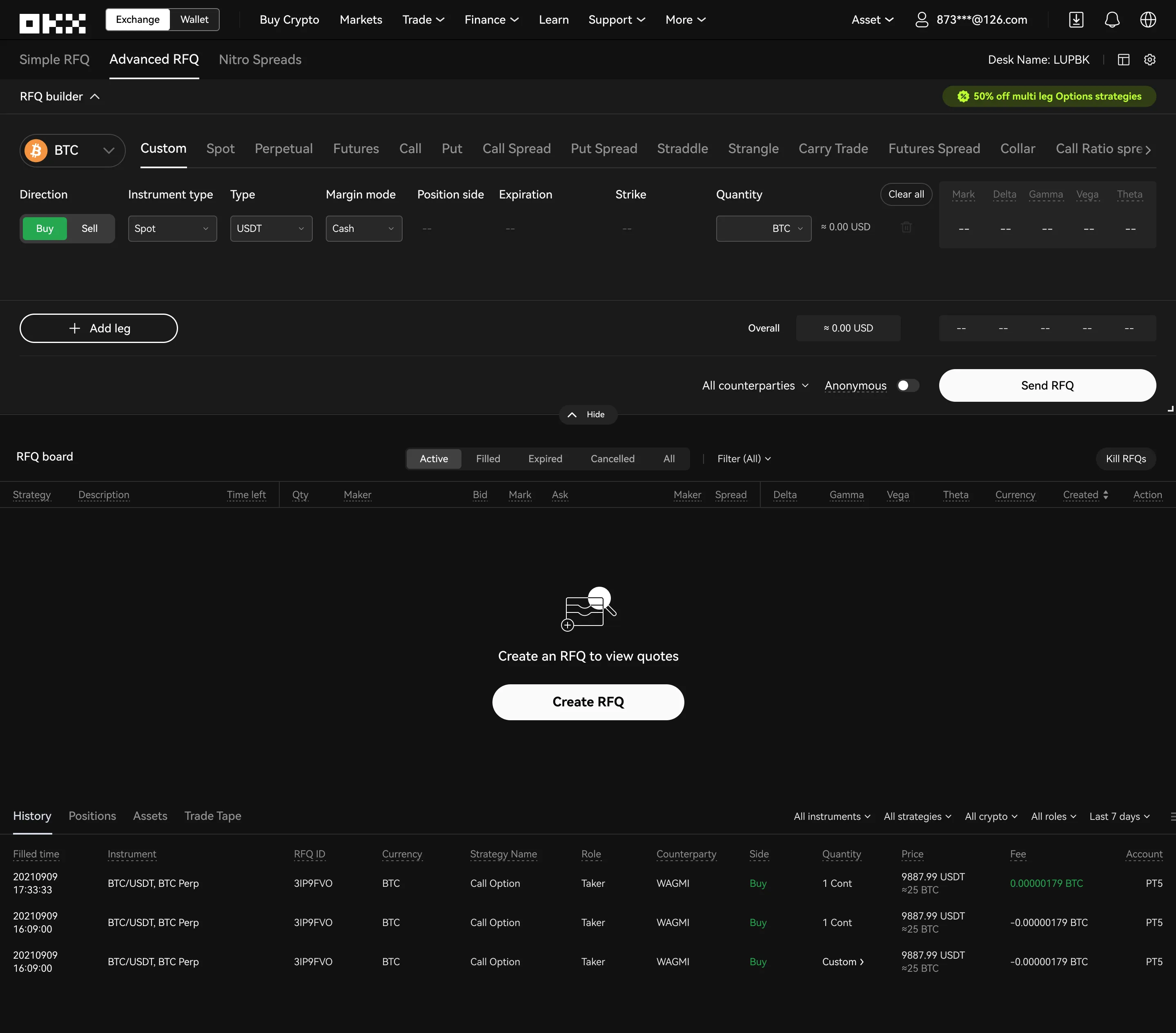
Create an RFQ

  1. Step 1: Land on RFQ.

    1/5 Land on RFQ The builder starts minimised. Create RFQ, or the dropdown, expands it.

  2. Step 2: Pick token and strategy.

    2/5 Pick token and strategy The builder expands. Choose a token and a strategy type.

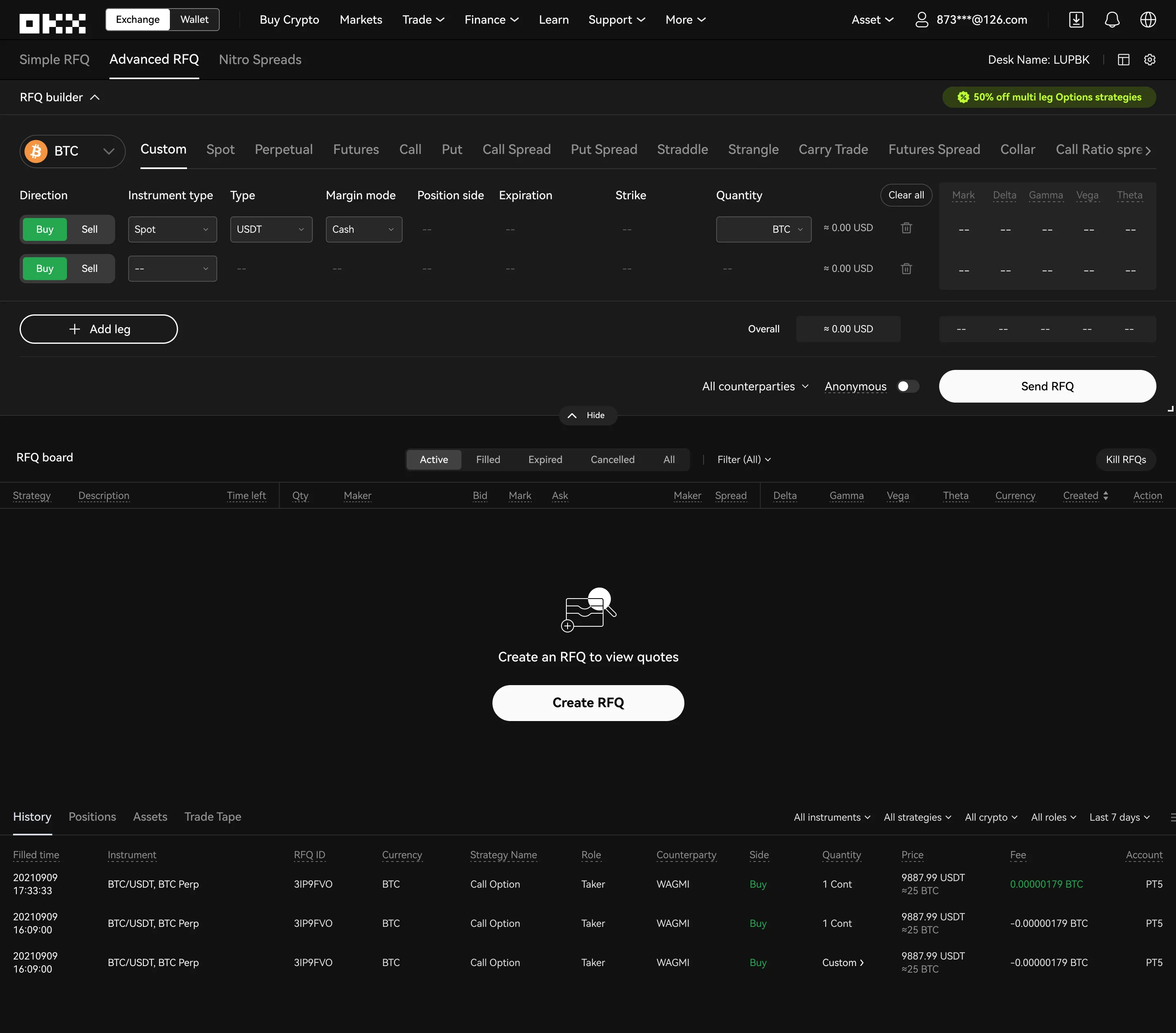
  3. Step 3: Add legs.

    3/5 Add legs Add legs to complete a multi-leg strategy.

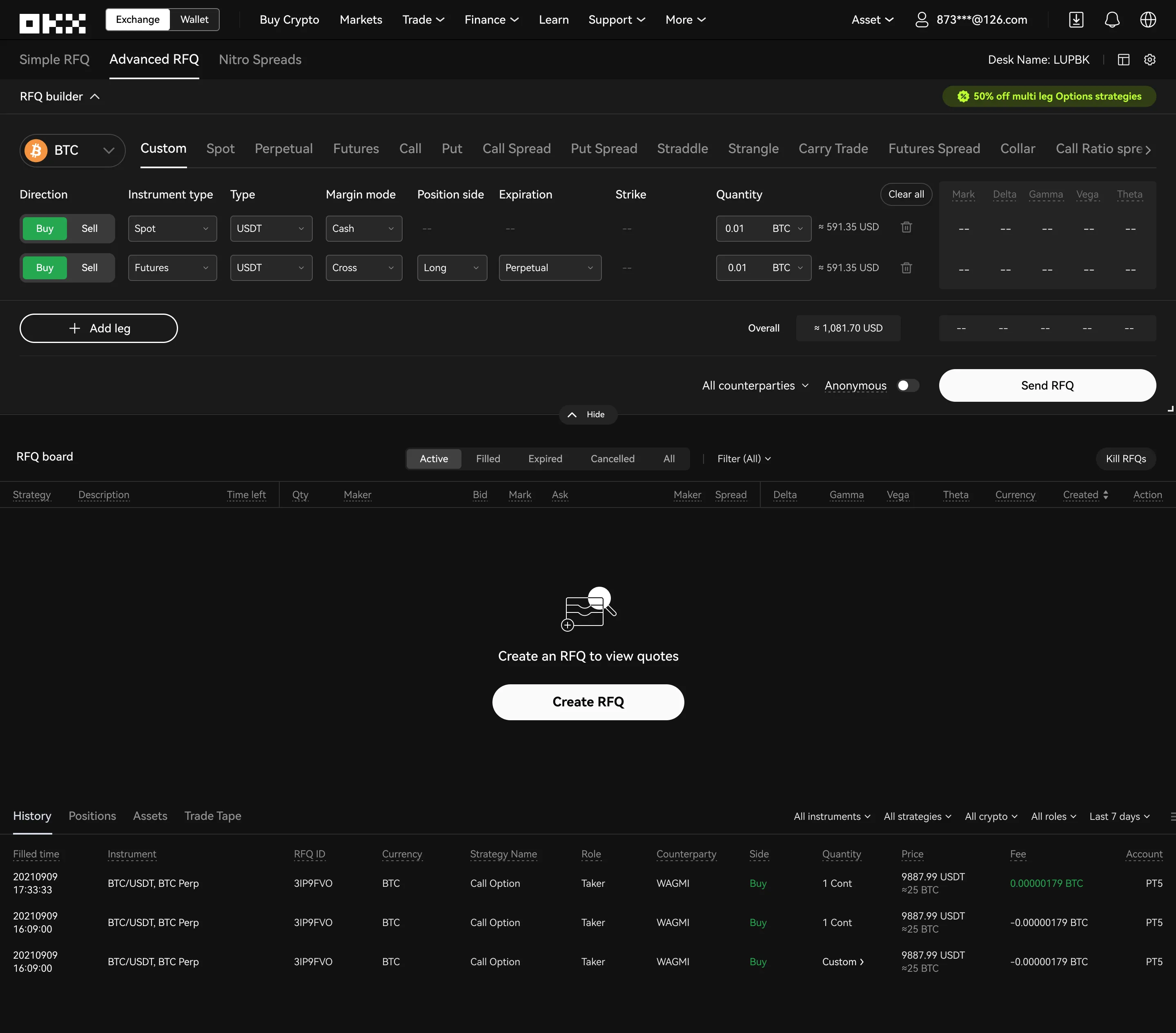
  4. Step 4: Size it and choose who quotes.

    4/5 Size it and choose who quotes Set instrument types and position sizes, and select counterparties.

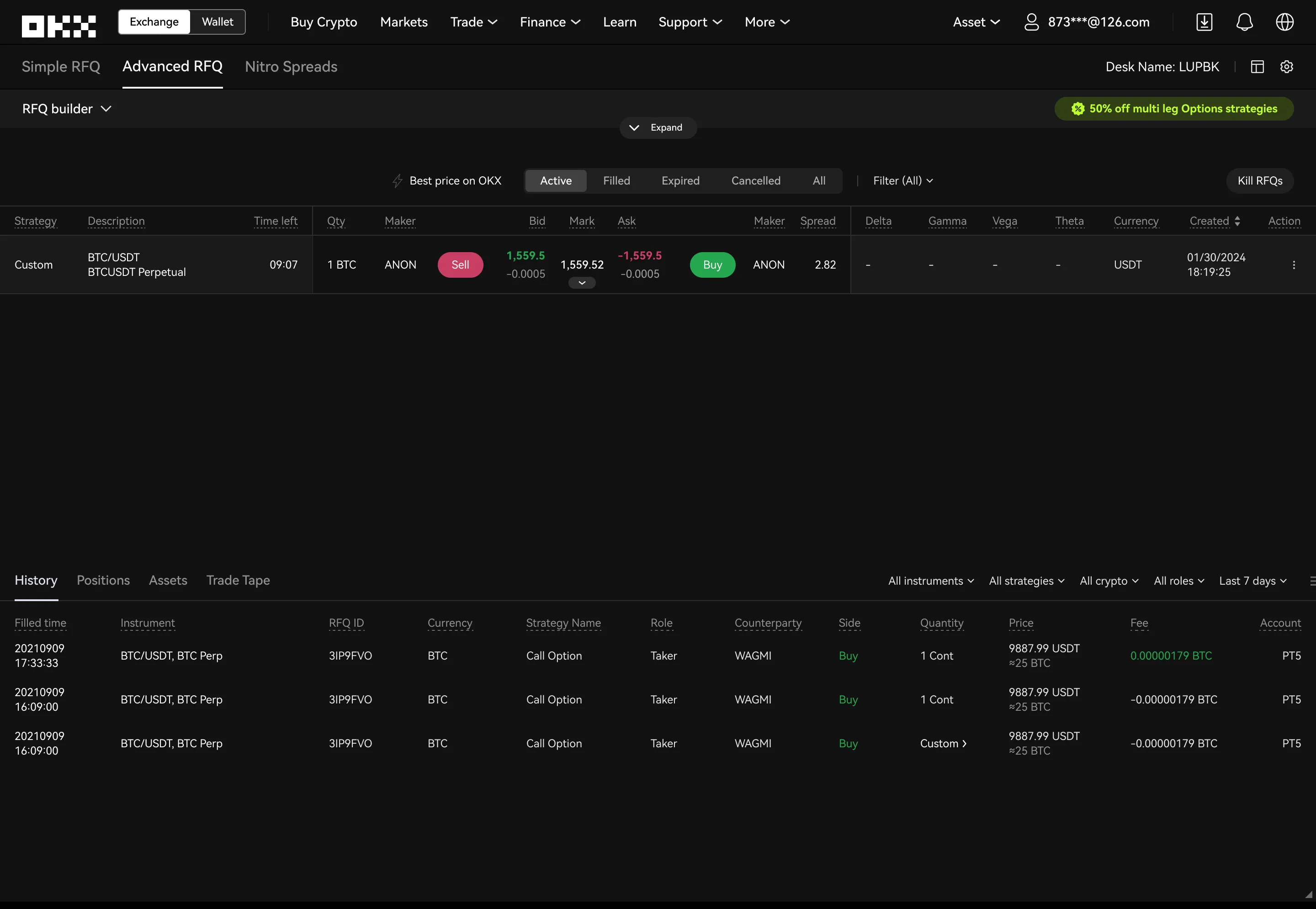
  5. Step 5: Send, review, execute.

    5/5 Send, review, execute Send the RFQ and the builder collapses. Quotes arrive below to review and execute.

The new screen

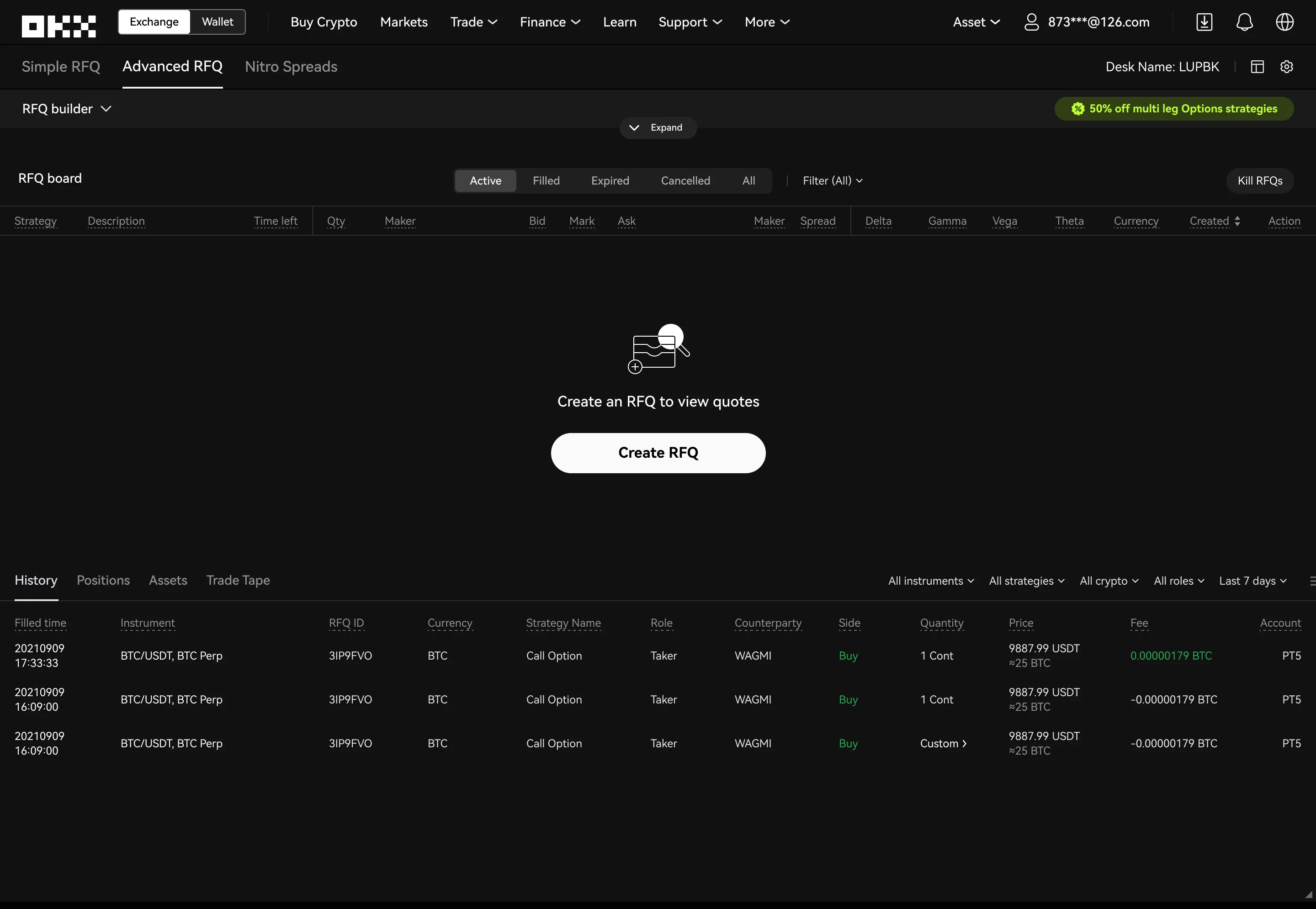
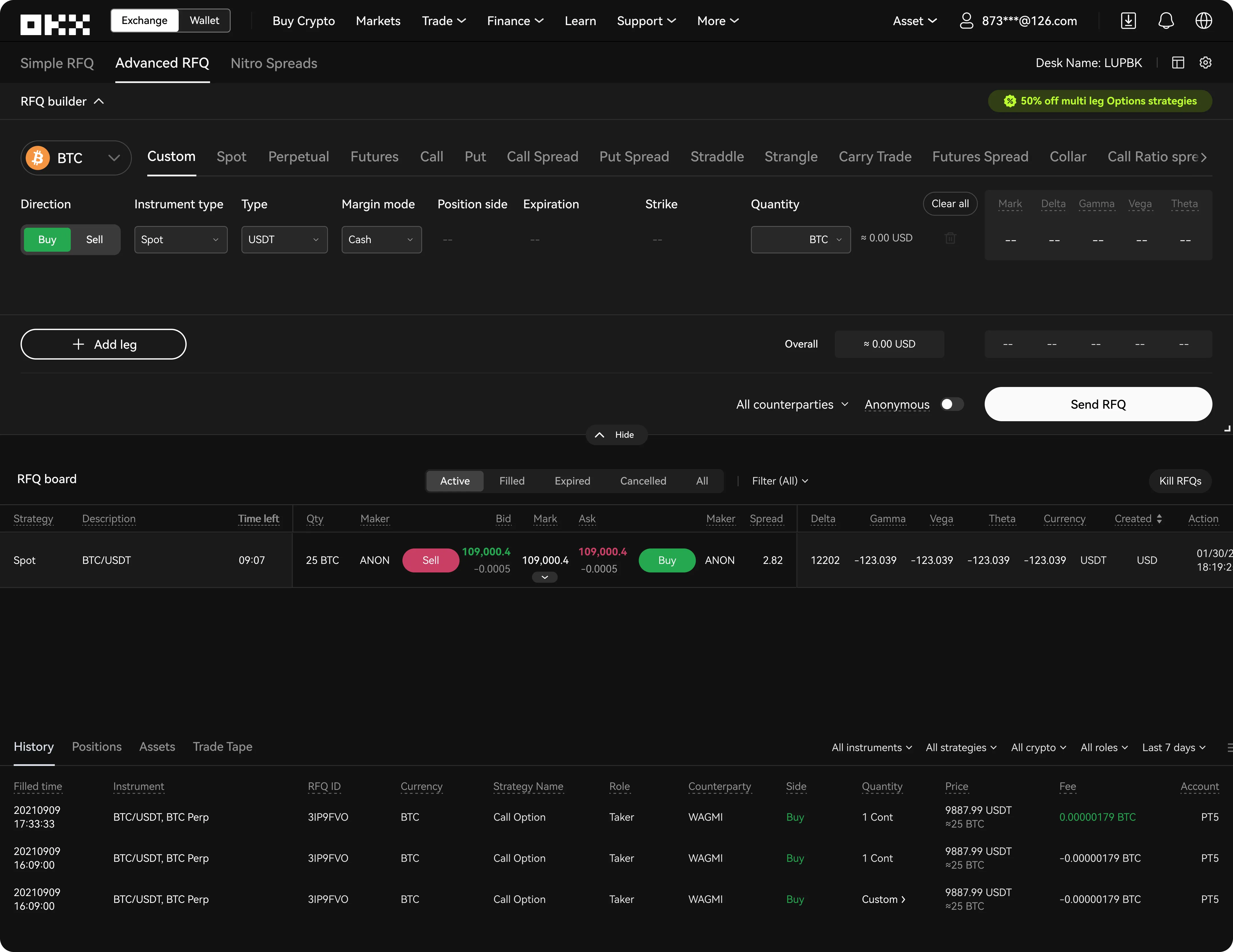
The redesigned Advanced RFQ screen: builder, board and history on one surface.
  1. One surface

    Builder, board and history live together. No tab switching, no lost context.

  2. RFQ builder

    At the top, expanded or minimised as needed. Token and strategy selection is simplified and ordered by popularity.

  3. RFQ board

    Always visible below the builder, so every active quote is in view at a glance.

  4. History

    At the bottom: there when needed, out of the way during active trading.

What the redesign achieved

Consolidating building, monitoring and execution into one workflow cut navigation friction. Traders built and evaluated RFQs with fewer context switches, which made comparing quotes and executing clearer, especially for complex multi-leg strategies.

The new structure and components also gave future RFQ work a more consistent, scalable foundation. In preliminary internal testing, the average time to build and send an RFQ dropped by about 20%.

Hiring, or have a product that needs simplifying?

Tell me about the role or the project.